Finishing the Intervalometer: the value of finishing, and making what’s in your head

08 May 2012

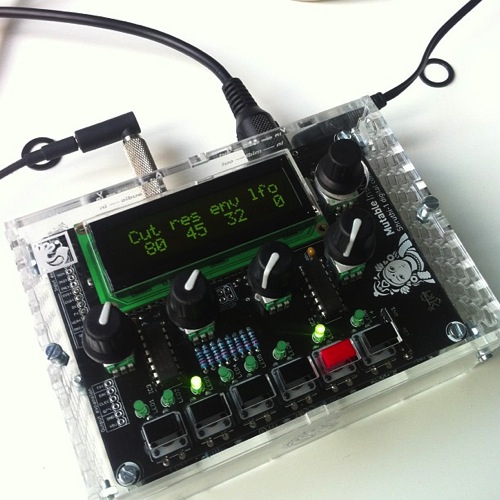
The black box above is an intervalometer to work with Nikon cameras (specifically, any cameras that work with the cheap ML-L3 remote). It has two external controls: a power switch and a knob. You rotate the knob to choose the interval period on the screen, and click it in to arm the intervalometer. Clicking it again and briefly holding it until the screen lights will disable it.

Which sounds simple enough, I suppose. I mean, it’s simple to explain. But when I began, I wasn’t even sure if I’d be able to make this – which was part of the adventure.

My commit messages tell me I’ve been working on it for over a year. It’s not, to be honest, a year-long project; it’s just how it came about, scraped together in moments between work, and I wanted to write some notes on the project – both what it is, and what I learned from it.

The Design

Like many of my technically-savvy peers, I had an Arduino in a desk drawer. I’d used it for more than just making an LED blink – a few little experiments in serial communication – but I’d not exactly exploited its full capabilities.

One day, I had a thought: I wanted to experiment with time-lapse photography, and had a small IR remote for my camera. Perhaps I could make something computer-controller to enable this? Not a full-size computer, that’d be ridiculous. But I could perhaps make something with a small microcontroller – like my Arduino – wired into a spare remote, firing regularly.

That smelled like it was within my reach: a little user interface and a timer.

So I refined the design in my head. In the end, I had a few goals for the project:

  • I wanted to use a rotary encoder as the interface: it seemed much more natural than stabbing up and down with buttons.
  • I wanted to use a small LCD screen in the project: I’d never worked with one, and it seemed like the simplest UI for the project. Also, there was a fun design challenge in fitting clear UI into 16×2 characters.

And that seemed like a starting point.

Building the First Version

There were four unknowns in the project, which roughly corresponded to the four milestones in building it:

  • working with the LCD screen
  • working with the rotary encoder
  • interfacing with the camera
  • writing a timer routine

I began at the top. I chose to work with a Serial interface to the LCD – one pin instead of seven seemed like a good trade-off, and it was a tiny bit easier to get started with. Quite soon, I had a UI displaying on the screen:

This felt like a huge leap. Somehow, making rudimentary computer graphics in tools like Logo or Processing had never captured my imagination – perhaps because I felt I ought to be able to do that. Working in a medium I was very unfamiliar with as a developer (but saw every day in my life) and producing output felt strangely empowering.

Of course, it was made much easier by the Arduino ecosystem, which is ideally suited to glue-programmers like myself. The SerLCD library did a lot of the heavy lifting; I just had to work on the implementation, and some details around making sure I put enough pauses in the serial routine.

Next, I worked on the encoder. This, again, was enabled by other people’s code. Rotary encoders aren’t like knobs – they spin forever, and as they pass a pair of contacts, emit Gray code from a pair of pins. You just have to read that code as it passes a pair of pins, and translate it into up/down signals. It wasn’t long – again, thanks to the magic of copy and paste, primarily – before I had the encoder being read.

I then added some detail to its implementation, where setting the timer past 90 seconds switches the device into minutes, which increment by 1, until it reaches 15 minutes. Why 15? It’s the maximum length of time my camera would stay on without any IR input before it goes to sleep.

Finally, we just need to rig up the IR interface. I was, when I began, ready to dismantle an ML-L3 – but it turned out I didn’t need to go that far.

There’s already an Arduino library for that exact functionality. NikonIRControl takes a single IR LED on a pin, and sends it the same sequence of pulses as the ML-L3 does. So that ended up being fixed in software, rather than hardware.

(In the final version, I replaced it with MultiCameraIRControl, in part because it’s now much easier to make this work with many brands of camera).

Along with the hardware, there was a bunch of code to be written. This was mostly straightforward, although finding the best way to write timing routines was the most complex part of it, and in the end, I relied on the TimedAction library, which abstracts a lot of what I’d tried writing longhand out. The other thing I discovered was the ability to compile multiple files at once into an Arduino sketch – available through tabs in the IDE. This helped a lot with clarity.

Really, though, the code is a lot of other people’s libraries or examples, all glued together with some UI and specific functionality on my part. That is the sort of code I end up doing a lot of: gluing other things together.

After a few months of the odd evening here and there, I had the whole thing working on a breadboard. The next thing to consider was packaging it up. I made a small shield out of stripboard and mounted it on top of my Arduino mini: a connector jack for the LCD, the encoder and LED soldered into the stripboard, and a battery pack to prove that the USB cable wasn’t doing anything.

That was the first working version. I put a short video on Vimeo. Later in the year, I’d take it to Cornwall with me. There, I shot this 30-minute timelapse:

That really proved it worked: not just the electronics, or the software, but the intent. The goal was not making electronics; the goal was making a timelapse video, which the electronics enabled. And here we were: a timelapse video.

Of course, it wasn’t finished.

My friend Matt Brown saw an early verison of this, and said that it needed to be in some kind of sturdy, industrial black box. And he’s right, really. Something rigged up on your desk on a breadboard is nice, but it’s not finished. Frankly, that dangle of a shield hanging from my lens was nowhere near finished either.

There is value in just doing something, but there is also real value in finishing it. That doesn’t mean selling it, or productizing it, or anything as over-the-top like that. Just get it into a stage where somebody else might recognize it for a thing.

So I started thinking about how to package it, because that would be what really made it a thing, and not just a tangle of wires.

Packaging

The limiting factor on packaging was the LCD screen. I was using a Serial LCD, and the serial componentry was hanging off one edge, extending the length of its PCB. I should have probably used a seven-pin LCD interface, but instead stuck to the serial interface. I took a regular seven-pin LCD, and used this Sparkfun Serial Backpack to convert it to serial whilst taking up less space.

Next, I decided there was no point running it from a full-size Arduino, so bought a Pro Mini, and set about re-installing the code there.

Of course, that meant flashing the Pro Mini, and rigging the whole circuit up on a breadboard, checking it still worked, before moving to a custom circuit.

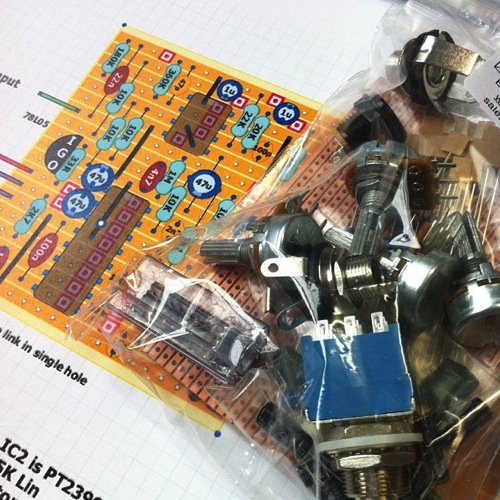
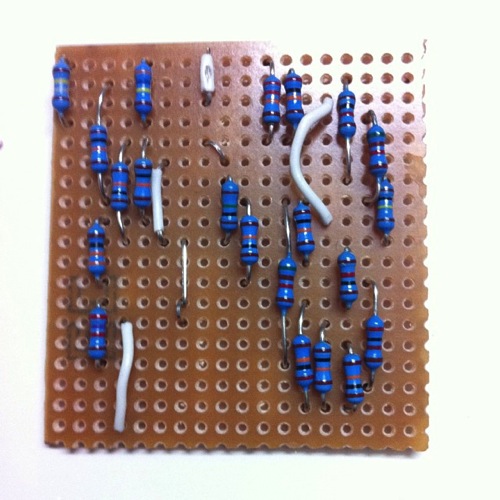
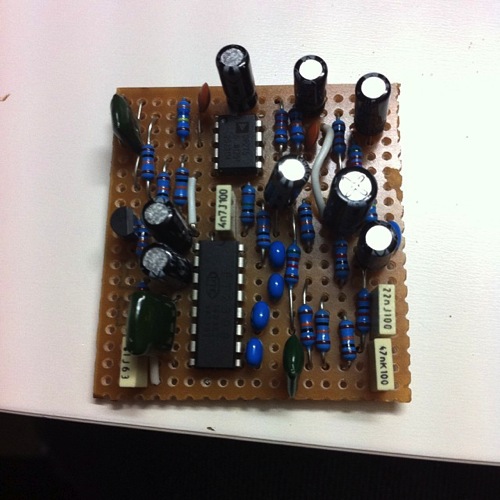
With that done, I made a stripboard for it. (Yes, I keep using stripboard, because it works for me. I don’t know much about PCBs or Eagle, and that would mean this thing was never going to get finished). I would mount the Pro Mini in the middle of this stripboard, and then attach components around it, breaking the tracks where appropriate, to make a stripped-down board.

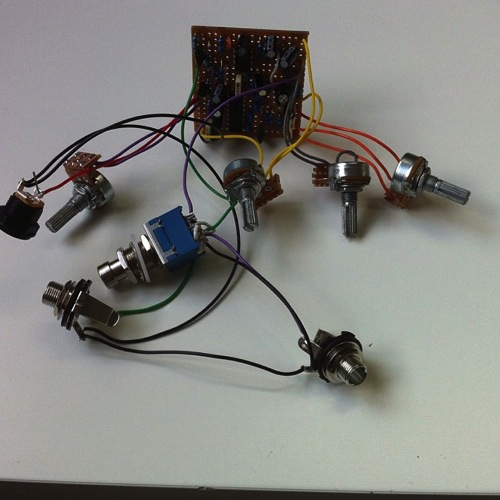
Crucially, I didn’t directly solder anything other than the battery jack leads. Rather, I put female header sockets onto the board, for the Pro Mini and all the components. Then, I attached the components with hires ending in male headers. That way, I could remove/install componentry easily, and also remove the Pro Mini easily to reflash it with new software. This turned out to be one of my smarter moves.

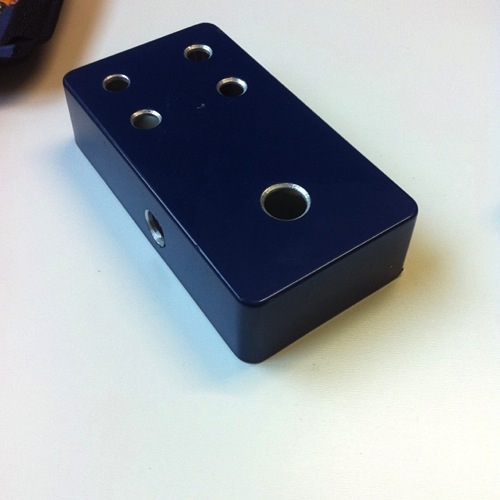
Finally, there was the matter of the box. Probably my weakest point: I am somewhat clumsy and useless with my hands. Also, I don’t really have any workshop facilities, so drilled the holes for power and encoder, along with the hole for the LCD, with files and a Dremel-a-like. This made a horrendous, ragged mess, and I envy people with CNC facilities or a decent mill. I did use my Dad’s workshop to mount the LCD, which means it at least got some counter-sunk, well drilled holes. Oh, for a pillar drill.

Finally, I just had to piece it together, testing the final version of the code, and plugging components in one at once.

It is strange to say “remarkably, everything worked” so much, but hardware is so strange and fincikity I always expect it not to. Also: I was aware throughout how out of my depth I was, and yet I always bobbed back to the surface.

Squeezing the box shut, the serial backpack on the screen impinged a bit on space, but careful board and battery placement made it shut. And that was that: a working, solid box, that did one thing, with software I’d written and hardware I’d made. More to the point: it was finished.

Finishing and Thingness

This project taught me a few values.

I discovered with this project is the way that Arduino reminds me of Rails: it directly values productivity of the designer/developer, and you pay for that convenience. This project could have been made out of discrete components, or out of a much simpler AVR chip, but it’d have taken me a lot of knowledge and experience. I pushed all the complexity into software, and embraced the Arduino platform. So it may have cost me £20 for the Uno, and about that for the final Pro Mini, as opposed to a few pounds for a bare microcontroller – but I saved myself effort. Still, it’s worth remembering that these solutions are in turn made out of other existing hardware, and that one day, that might be a better solution.

The project taught me the value of thingness: of completing something so that it’s an artefact other people can recognise and identify. The box-with-a-lid is a huge part of that. It stops it being a bunch of wires, something I explain as “an Arduino doing X”, and it becomes an Intervalometer. It becomes a thing.

And finishing is hard. You think software, or electronics is hard? Making a box chewed me up and spat me out. It’s not too hard to make the ragged, ugly holes I did, but gosh, I’d love the precision and experience to not have scratches from skittering milling bits, or the ragged holes around the LCD. Not to mention the entire rebuild of the project necessary to get it small enough to fit into aforementioned box. It reminded me, in the tiniest way, of Nick Foster’s lovely post about the difficulties of making:

It’s now simple for a couple of fairly inexperienced guys to feasibly produce products for sale, which is fantastic, but let’s take a critical look at a few of these products. How many of you have invested in a cool thing on Kickstarter only to receive constant emails about how expensive tooling is, or how hard it is to source PSU’s, or how the team massively under-budgeted the production? There have been many projects which simply ground to a halt because the Matter Battle was just too tough, before we even get into the debating the dubious legal position of these devices (CE mark anyone?)

Foster is talking about manufactured products, of course, which I’m not; I’m still much earlier along the curve. But Matt Brown’s point, a year ago, to make sure I completed it, not just leaving a pile of wires sticking out of a breadboard, was a challenge I felt it worth rising to – and I’m glad I did.

Perhaps most importantly, though, it reminded me of the huge value of making something you saw in your head. It’s vastly rewarding to make an idea that you originated; to solve a problem that you yourself had. I’ve always found that I learn new things better when I have a reason to. Every programming language I’ve tried to learn without something I myself wanted to build with it – I got nowhere. The second I have an itch I need to scratch, I’ll bat through tutorials and understand them, not to mention start trying to implement that thing as soon as I can.

This, I think, is hugely important. It’s why I think an important part of learning to code – for kids, or for adults – is achieving something you wanted – or needed – to do. It’s vital to understand that making, in software, hardware, or materials, is something you do unprompted, to solve problems, and not always knowing where the journey will take you. You don’t just implement rote linked lists, or bubble sorts, or debounce circuits; learning from examples is important, and often all one can do to begin with, but it’s not what the work is about. To learn to make things, you have to Make your own Things. You have to travel a complete path. It doesn’t just make the end more rewarding: it makes the whole journey more rewarding.

I wonder if that’s why a lot of Arduinos are in desk drawers, an LED wedged into pin 13: the platform is exciting and interesting, but there was never an itch. When that itch arises, take that board out of the drawer and scratch it. It is difficult, but it is within your abilities, and you will learn a lot. I did.

Play is a serious business

22 April 2012

I had the great pleasure to get to Galy Tots at Kemistry last week: a lovely, tiny retrospective of Ken Garland Associates’ work for Galt Toys. It was lovely: lots of nice examples of graphic design and photography, as well as lots of items on display, including a prototype of knock-down furniture for playgroups, that was just beautiful.

There were several particularly lovely touches: firstly, that all the toys and games on display were set up to be played with – indeed, that they were set up so that children as well as adults could play.

And secondly: all the exhibition copy was written by Garland himself, which gave it a tone that was both very honest but also charming and subtle.

There were two quotation I took down, because they made an impact, and I wanted to share them.

Garland wrote about Edward Newmark, who had been manager of Paul and Marjorie Abbatt’s toyshop before he went to Galt.

Edward brought with him the conviction that play is a serious business, and toys are the tools of the child.

Talking about their time working for Galt, Garland said:

Most especially, it is rare for designers to have the experience of their work being enjoyed before their very eyes. I have had the greatest delight in seeing children playing our most successful game, Connect, in many parts of the world.

Watching something being enjoyed before your eyes is one of the great pleasures of designing things to be played or interacted with.

(And, by corollary, nothing hurts more, or reminds you to up your game, than watching somebody not have fun with something assumed they would enjoy).

A Year of Links: Your Questions Answered!

04 March 2012

Following writing about my books to catalogue each year of my bookmarks, several readers had questions, which (rather than responding to in a comments thread), I thought I’d get around to here.

  • Matt Edgar commented on the thickness of the spines, and what they represented in terms of my time/attention each year. All I can say is: I got a bit better at the process (more on this later) as time went on; I got quicker at both reading and writing. Also, during my time at Berg (2009-2011), part of my job was writing and researching, so the size of those volumes is in part because I had deliberate time during my work for reading and bookmarking.
  • James Adam asked if the body text is from Pinboard or the page. It’s usually a combination of both, with the majority being a salient quotation.

    If you’ve ever seen the format I use for my links, it tends to be a long quotation followed by a single line or two. James mentioned this because it seemed like a lot of writing. To which my answer is: it is and it isn’t. It’s a lot of words, but most of them aren’t mine.

    To explain, it’s probably worth talking a little about how I bookmark:

    I have the Safari extension for Pinboard installed. When I’m reading a page I like, or have found useful, I highlight a particularly salient quotation and click the extension button. This loads the Pinboard form with the contents of the clipboard loaded into the body copy field. I then wrap it in quotation marks, and perhaps add the first line or two of commentary that comes into my head. Then, I fill out the tags – as fast as I can, with the first thing that comes into my head. This tends, for me, to be the most valuable way of tagging.

    The time-consuming part is reading the articles; I try to make bookmarking as lightweight as possible.

    Bookmarks are published to this site via Postalicious.

    So: whilst it looks like a lot of content, most of it is not mine, but it is copied/pasted into Pinboard. Really, though, I’ve got this down to a fine, swift art.

  • In answer to Joel and Dave: I used Lulu for printing. I simply uploaded the completed PDFs to them for the inners. The covers were made in Photoshop, a bit by hand, and a lot by maths (because I wanted to use the same typeface on the cover that I do in the book.
  • Justin Mason asked about cost. The first book, which is the pamphlet at the bottom for 2004, is about 30 pages, and cost around £2. The largest volumes – 2008/2009 – cost £7 or £8. 2010, which is volume 7, and my first proof of concept, was about £4.50. It was about £30 for the lot, plus delivery, though I saved a bit through some canny Lulu discount codes that I had.

And, finally, a big shout-out to Les Orchard, as the first person who wasn’t me to get the code up-and-running and make some books!

A Year of Links

26 February 2012

A Year of Links

I made a book.

Or rather, I made eight books.

If you’ve read this site for any particular length of time, you’ll be aware that I produce a lot of links. Jokes about my hobby being “collecting the entire internet” have been made by friends.

I thought it would be interesting to produce a kind of personal encylopedia: each volume cataloguing the links for a whole year. Given I first used Delicious in 2004, that makes for eight books to date.

A Year of Links: interior

Each link is represented on the page with title, URL, full description, and tags.

Yes, there’s also a QR code. Stop having a knee-jerk reaction right now and think carefully. Some of those URLs are quite long, and one day, Pinboard might not exist to click on them from. Do you want to type them in by hand? No, you don’t, so you may as well use a visual encoding that you can scan with a phone in the kind of environment you’d read this book: at home, in good lighting. It is not the same as trying to scan marketing nonsense on the tube.

A Year of Links: contents

Each month acts as a “chapter” within the book, beginning with a chapter title page.

A Year of Links: index

Each book also contains an index of all tags, so you can immediately see what I was into in a year, and jump to various usage.

A Year of Links: colophon

Wait. I lied. I didn’t make eight books. I made n books. Or rather: I wrote a piece of software to ingest an XML file of all my Pinboard links (easily available from the Pinboard API by anyone – you just need to know your username and password). That software then generates a web page for each book, which is passed into the incredible PrinceXML to create a book. Prince handles all the indexing, page numbering, contents-creation, and header-creation. It’s a remarkable piece of software, given the quality of its output – with nothing more than some extended CSS, you end up with control over page-breaks, widows and orphans, and much more.

The software is a small Sinatra application to generate the front-end, and a series of rake tasks to call Prince with the appropriate arguments. It’s on Github right now. If you can pull from Github, install Prince, and are comfortable in the terminal, you might find it very usable. If you don’t, it’s unlikely to become any more user-friendly; it’s a personal project for personal needs, and whilst Prince is free for personal use, it’s $4800 to install on a server. You see my issue.

So there you are. I made a machine to generate books out of my Pinboard links. Personal archiving feels like an important topic right now – see the Personal Digital Archiving conference, Aaron and Maciej’s contributions to it, not to mention tools like Singly. Books are another way to preserve digital objects. These books contain the reference to another point in the network (but not that point itself) – but they capture something far more important, and more personal.

They capture a changing style of writing. They capture changing interests – you can almost catalogue projects by what I was linking to when. They capture time – you can see the gaps when I went on holiday, or was busy delivering work. They remind me of the memories I have around those links – what was going on in my life at those points. As a result, they’re surprisingly readable for me. I sat reading 2010 – volume 7, and my proof copy – on the bus, and it was as fascinating as it was nostalgic.

Books also feel apposite for this form of content production. My intent was never to make books, not really to repurpose these links at all. And yet now, at the end of each year, a book can spring into life – built up not through direct intent, but one link at a time over a year. There’s something satisfying about producing an object instantly, even though its existence is dependent on a very gradual process.

So there you have it. I made a book, or rather eight books, or rather a bottomless book-making machine. The code is available for you to do so as well. It was hugely satisfying to open the box from Lulu at work one morning, and see this stack of paper, that was something I had made.

Some notes on “forward-thinking design”

19 February 2012

A few weeks ago, Christopher Butler (who you might know for his year of ideas books) asked me if I could supply some notes on “forward-thinking design, the skills designers need that they may not have learned in school, and the future of their practice” for HOW magazine.

The full article is now online, including some comments from me. I was a bit apprehensive about writing this: I’m not trained in design, but I know and have worked with people who very much are, so I’m wary of making proclamations. Also, much of my own understanding and practice is shaped by my time (and colleagues) at Berg, so I hope they understand where my thoughts come from. As ever, their work on “Immaterials” has a lot to say here.

But I also hope there’s a bit of me in there too, and that I didn’t say anything too heinous.

Read the full article here.

Raining on bus (s)tops

05 February 2012

BusTops Shoreditch profile

or: “I made some public art”.

It’s been lovely to see Bus Tops finally emerge into the world. If you’re not aware: it’s a series of LED-matrix screens on the top of bus stops around London, displaying a curated programme of art that anyone can submit works to. It’s been beautiful to see it come to life so well: feels like a thing, has its own aesthetic, the public nature of it feels exciting and odd and transgressive.

I decided I ought to start making some things for it. I’m particularly interested in the screens as an animated medium. So far, I’ve submitted two works; one, an original, and the other, very much not, although it’s the kind of thing that needs to be on giant red LED matrixes.

Anyhow.

Ripples has been selected for display, which is quite exciting! It’s a short animation that makes it look a little like it’s raining on top of the bus stop, even when it’s not. It was a nice exercise for me: making something attractive, graphical, in code (which is not my sweet spot of programming).

An hour or so with Processing later and I was getting somewhere, and it didn’t take much longer with the rather lovely gifAnimation library to spit out an animated gif to import into the Bus Tops editor.

The original animation that Ripples is based on can be viewed here. The source code for it is also on that site.

This feels like a good beginning, and I have a few more ideas for abstract moving works that would look good in red, black, and nighttime, from the top of a double-decker.

(And, as reference primarily for myself: the way you fixed “sad about not making things” is by just starting things, ideally small things, and before you know they’re done.)

Update: and here’s what it looks like on top of a bus stop. Static:

and in motion:

(thanks to the Bus Tops site for the images)

Machines showing us mind; entertainment derived from the machine showing us non-mind

12 January 2012

Adam Gopnik’s “How The Internet Gets Inside Us“, in last year’s New Yorker, is a remarkable read. This leapt out:

…at any given moment, our most complicated machine will be taken as a model of human intelligence, and whatever media kids favor will be identified as the cause of our stupidity. When there were automatic looms, the mind was like an automatic loom; and, since young people in the loom period liked novels, it was the cheap novel that was degrading our minds. When there were telephone exchanges, the mind was like a telephone exchange, and, in the same period, since the nickelodeon reigned, moving pictures were making us dumb. When mainframe computers arrived and television was what kids liked, the mind was like a mainframe and television was the engine of our idiocy. Some machine is always showing us Mind; some entertainment derived from the machine is always showing us Non-Mind.

…but really, the whole thing is half an hour well spent.

The point of Twitter

09 December 2011

John Gruber on the new Twitter iPhone app:

What also worries me is that these changes suggest not only a difference in opinion regarding how a Twitter client should work, but also regarding just what the point is of Twitter as a service. The Twitter service I signed up for is one where people tweet 140-character posts, you follow those people whose tweets you tend to enjoy, and that’s it. The Twitter service this new UI presents is about a whole lot more — mass-market spoonfed “trending topics” and sponsored content. It’s trying to make Twitter work for people who don’t see the appeal of what Twitter was supposed to be.

Yes, that. It increasingly turns out that the Twitter I signed up for – the Twitter in my head, as it were – is the MVP of something else. And now, the MVP is fading away and the something else is taking over. Which is fine for acquiring new users – after all, by and large, it’s a given that most people don’t use your product. But my mental model is stuck around five years ago, when I signed up.

I signed up for this product because it made mass-texting people when I was in town easy, and led to lots of serendipitous drinking and hanging out when I was in the city. On the radio last year, I heard someone explain Twitter as “a tool for following famous people and seeing what they’re up to“. It’s interesting how the product described in the new app feels like the product described by that radio pundit: a consumption tool.

For me, it was always about the permanent backchannel with my friends. I guess I’m looking for a new mobile client now.

Blessed are the Toymakers

22 September 2011

I wish more people were making tools for a specific creative purpose rather than for general consumer adoption. I wish more people were making tools that very intentionally do not scale—tools with users by the dozen. Tools you experience not through a web signup form, but through pathbreaking creative work.

Robin Sloan writes about being frustrated by the startup generation’s love of toolsmithery. Or rather: their recurring commitment to selling services.

Now, I know that I’m a toolsmith – but I only really make tools for myself. Some of them are on github; some are not even there, either because they’re just so bespoke or so useless. Some I use daily; some I barely use at all. Regardless, I wouldn’t sell them to anybody.

But I thought about the article, and ruminated, and my best comeback is: blessed are the toymakers.

If you can make a tool, you can make a toy. The common output of workshop apprenticeships were both tools to be put to use, but also toys or knick-knacks to demonstrate and practice skills.

I love making toys. Little mechanical things, to be fiddled with, to be explored, created with purpose and intent and intended to express an idea. Most of my borderline-nonsense Twitter bots are just that: toys I wanted to play with. One of them lived for an hour before I decided it was so rubbish I wasn’t letting it out in public for a while. Some of them have lasted a very long while and have a great many followers.

The best toys have hidden depths. The best toys are all super-simple on the surface; super-obvious. They let you know exactly what you ought to try doing with them. But as you explore them, you discover they have hidden depths. And: hidden affordances. Spaces for imagination to rush in. Toys allow you to play games, inventing rules that make the toy more fun, not less. Toys allow you to tell the stories you imagine, not that are baked into them.

As Matt Jones said in his his Interesting 2007 talk – “stories are the contrails that toys leave as they roar through our world and our imaginations“. It’s one of my favourite Jones-isms. I’ve been returning to that notion a lot, recently.

Toys demand fiddling with: they invite interrogation through hands and messing around. And they can be disposable: if they’re no good, make another.

The toys my Dad made for me were wooden. The toys I make – for myself, for friends, to make a joke real – are digital. But they’re there, and they all come down to an odd idea I wanted to explore, or a joke I wanted to make real. They are not vague ideas, tweeted and then forgotten about, tossed to the wind in a meeting, or imagined up but never created. They work, they’re real. No smoke and mirrors here – but no Great Purpose either, no business model. Just something fun, something interesting, to scratch an itch, to see if it’s fun in your hand.

I make toys to find out what’s interesting, to explore what’s next.

Reading Robin’s post, I came to agree with him. After all, I’m a staunch believer in the whole “Liberal Arts 2.0” idea; I’m one of those humanities graduates who learned to code.

Why not put technological skills to use making art (as I argued at Culture Hack Day)? Go one step further: rather than putting technology to use serving existing media – the books and films that Robin talks about – why not just invent new forms of media, as Jack Schulze and Timo Arnall describe? The new liberal arts are not on the edge of something big; they are on many edges, all at once. We get to decide where they tip over into; what’s at the bottom of those cliff-faces. Maybe those media will have the tiny audiences Sloan describes; maybe they’ll become huge. But we get to decide, and right now, there is space to play, and a need for those of us with weird skillsets – technological hands and flighty, artistic brains, or vice versa, ‘consecutive or concurrent’ – to go explore.

Inventing media is a big job. We could start by making toys.

Bored of “3D Printers”

12 September 2011

I’m really bored of the term “3D printer”.

It’s begun to make me squirm when I hear it. For many such devices, it’s a reasonable explanation of the process – layers of extruded material “printed”, a layer at time, building an object up from nothing.

My problem is with the “3D” part of it. Or rather: the idea that a “3D printer” prints… 3Ds? I read an article explaining the technology in a mainstream newspaper; it explained that at the end of the process, you’d remove your “3D artefact” from the machine.

Or, you know, object. Thing. Or even call it by the name of what you’ve printed: “when the printer finished, I removed my ashtray/cog/bottle opener/toy.”

I’ve just finished Charlie Stross’ Rule 34, which was fun. One of my favourite pieces of futurethinking in it was his exploration of the domestication of “fabbers”. They’re not things owned only by geeks and early adopters; Stross’ fabbers are bought in John Lewis, made by mainstream companies. Of course, like Nespresso machines or inkjet printers, they’re artificially hobbled to only use ‘official’ feedstock, and perhaps even to not make certain plans (ie, forcing you into a “thing store” to download official plans). So the opportunity for hackers are to take the off-the-shelf machines and rewire them to use illicit feedstock, to make dangerous things. But the fabber is very much just like a coffee machine in this universe, and I liked some of his explorations of what it was like to have an off-the-shelf object printer in the house.

A name like “object printer” or “thing printer” feels so much more honest and less clumsy. And: eventually we’re going to get over the magic of the “3D” part of the printing, and instead just focus on the variety of things we can get out, the varieties of materials we can print in, the affordability of such devices. The 3Dness will be taken as given.

(If you pushed me, and I had to coin a neologism, though, I’d choose artefactory.)